
📅 Published: April 2026 | ✍️ By Brad Andrews | ⏱️ 11 min read
This is Post 5 in the Proton Series. If you’re just landing here, the story starts with Post 1: Proton Mail with a Custom Domain, continues through Post 2: SimpleLogin + Proton Mail and Post 3: Proton Pass, and the full migration story lives in Post 4: Why I Switched My Entire Digital Life to Proton. This post focuses on the one product in the Proton ecosystem that gets the least attention and deserves more.
The Cloud Storage Problem Nobody Talks About
Most people who think about digital privacy think about email first. Passwords second. Cloud storage if they think about it at all comes third, if ever.
That’s a mistake.
Your cloud storage is where your tax documents live. Your contracts. Your family photos. Your personal files going back years. If you’ve been using Google Drive, Google has indexed all of it. If you’ve been using iCloud, Apple holds the keys. Neither of them are evil companies, but neither of them are operating a charity either and in both cases, someone other than you controls access to some of the most sensitive files you own.
Proton Drive exists to fix that. End-to-end encryption, zero-knowledge architecture, same privacy model as Proton Mail. The question isn’t whether the privacy case is compelling it clearly is. The question is whether the product is actually usable as a day-to-day replacement for Google Drive.
I’ve been using it. Here’s the honest answer.
What Proton Drive Actually Is
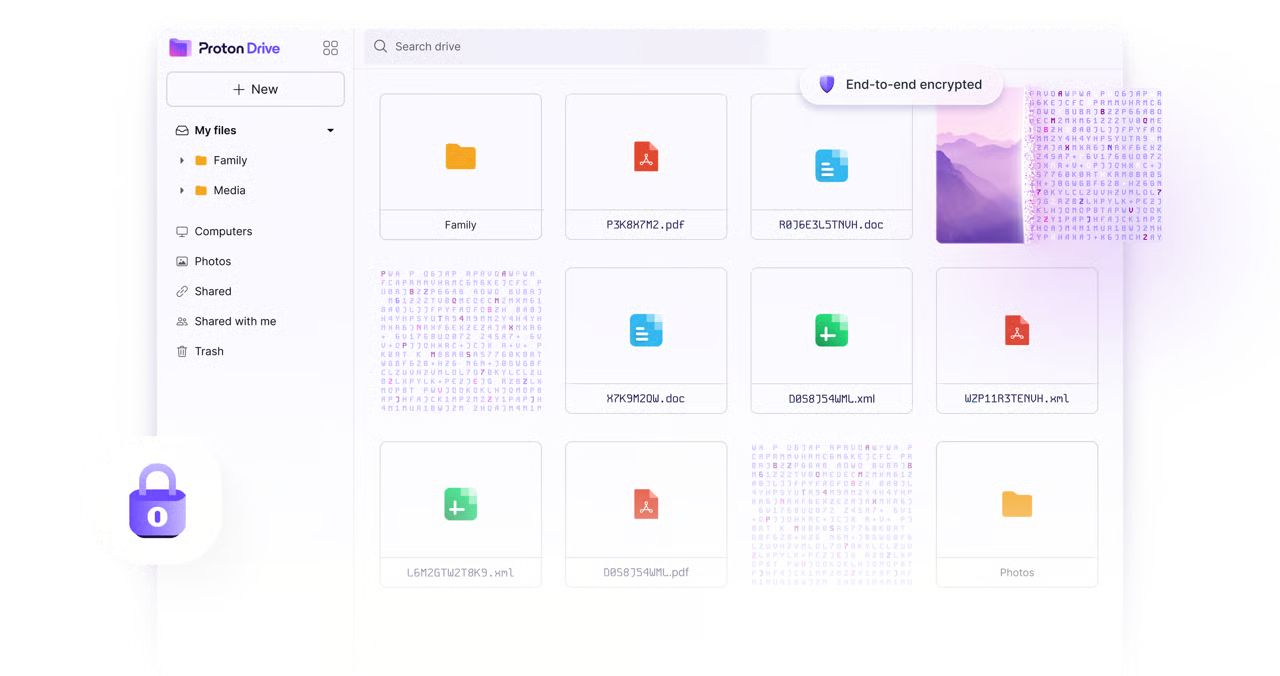
Proton Drive is Proton’s encrypted cloud storage product. Like everything in the Proton ecosystem, it’s built on a zero-knowledge encryption model meaning Proton’s own staff cannot see your files, your folder names, or your metadata. Not because of a policy. Because of the architecture. The keys that unlock your data never leave your device in a form Proton can read.
That’s a fundamentally different promise than “we take your privacy seriously” which is what every other cloud storage provider says while serving you targeted ads or training AI models on your documents.
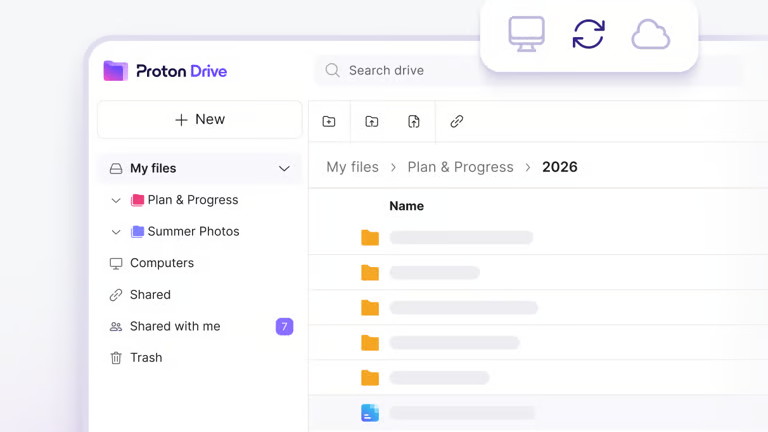
Beyond storage, Proton Drive now includes:
- Proton Docs a browser-based document editor with real-time collaboration, comment and suggesting modes, and export to
.docx,.pdf,.txt,.md, and.html - Proton Sheets an encrypted browser-based spreadsheet editor with real-time co-authoring, built-in formulas, and chart support
- Desktop sync clients for Mac, Windows, and Linux
- Mobile apps for iOS and Android
- Secure file sharing with password protection and expiry options
- Photo backup from mobile devices
The whole thing is included in every paid Proton plan no separate subscription, no storage add-on tiers beyond your plan’s base allocation.
Storage Plans What You Actually Get
Before getting into the product itself, it’s worth knowing what each plan includes, because it changes the value calculation significantly.
| Plan | Storage | Users |
|---|---|---|
| Proton Free | 1 GB | 1 |
| Proton Unlimited | 500 GB | 1 |
| Proton Duo | 2 TB | 2 |
| Proton Family | 3 TB | Up to 6 |
On the Family plan, that 3 TB is a shared pool you decide how it’s allocated across accounts. For a household with multiple people using Drive for photo backup, file storage, and documents, 3 TB goes a long way. We haven’t come close to the limit.
The value framing matters here: if you’re already on Proton Family for email and Proton Pass, Drive is included. You’re not paying extra for it. Comparing Proton Drive to a standalone Google One subscription isn’t the right lens compare the whole Proton Family plan to what you’re currently spending across Google, iCloud, and a password manager, and the numbers often look quite different.
How We Actually Use Proton Drive
Our household use breaks into a few distinct categories.
Photo backup is the primary workload. Both my wife and I have automatic photo backup enabled on our phones. Everything syncs to Proton Drive as a secondary backup layer the primary copy lives on our Synology NAS in Immich, which also drives the Immich Frame digital picture frames on our Home Assistant dashboard tablets around the house. Proton Drive is the offsite copy. It runs quietly in the background and I genuinely never have to think about it.
Personal file storage is where I keep documents I want encrypted at rest financial files, contracts, anything sensitive. The desktop sync client keeps a local copy on my Mac and syncs changes automatically. It behaves exactly like Dropbox or Google Drive’s desktop app, except what’s sitting on Proton’s servers is unreadable to anyone without my keys.
Smart Home Secrets files drafts, brand assets, research notes, planning documents all live in Proton Drive too. It’s become my default place to save anything I’m working on that I don’t want sitting in an unencrypted folder somewhere.
Secure file sharing has come up a handful of times for work sending sensitive files to clients or contacts where email attachments felt like the wrong call. Proton Drive’s sharing generates a link with optional password protection and an expiry date. It’s worked without issues every time I’ve needed it.
One honest caveat on sharing: Proton isn’t a household name the way Google or Microsoft is. When someone receives a link with “proton.me” in it, some people will hesitate. That’s not a product problem it’s a brand recognition problem that will improve over time but it’s worth knowing if you plan to share files regularly with people outside the Proton ecosystem.
Proton Docs Closer Than You’d Think
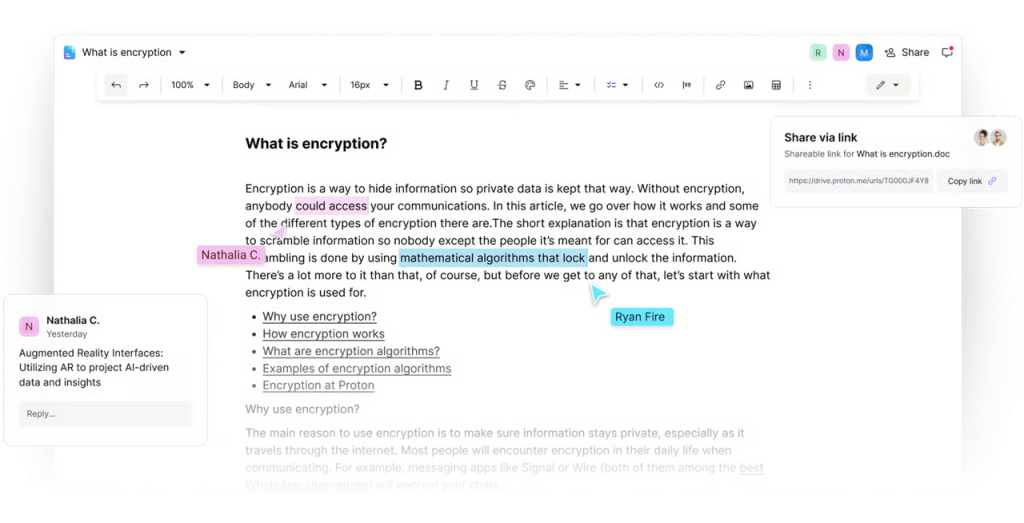
For everyday document work writing, editing, formatting, creating straightforward reports Docs handles it well. The interface is clean and familiar. If you’ve used Google Docs or Word Online, you’ll feel at home within minutes. Beyond basic editing, it supports comment and suggesting modes meaning collaborators can propose changes without altering the original as well as live cursor tracking so you can see who’s editing what in real time. Export options cover .docx, .pdf, .txt, .md, and .html, which covers most real-world handoff scenarios. I use the Word export regularly when sending files to people outside Proton and haven’t had issues with that workflow.
Co-authoring is supported multiple users can edit a document simultaneously but both people need a Proton account. That’s a real limitation if you’re collaborating with people outside your household or organisation who aren’t on Proton.
The honest caveat: online forums tell a different story for heavy users. Reddit threads report formatting inconsistencies when documents go back and forth between Proton Docs and Microsoft Word formats repeatedly. If you’re doing complex formatting multi-column layouts, intricate styles, heavily structured documents your mileage may vary. The product is still in active development and Proton is moving quickly, but “in development” means the rough edges are real.
For most people’s actual daily document needs, Proton Docs will be enough. My wife, who is a teacher and lives in Google Docs professionally, hasn’t moved to Proton Docs and I haven’t pushed her to. When it matters for work, use what works. But for personal document use around the house, it does the job without complaint.
Proton Sheets The Honest Assessment
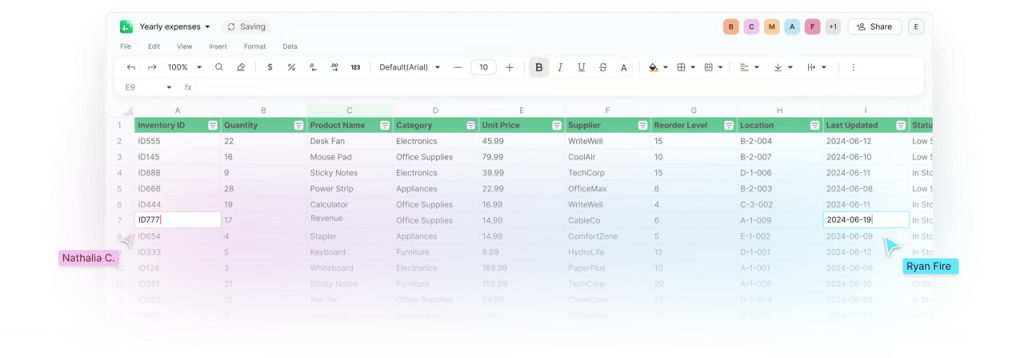
For basic spreadsheet work tables, budgets, simple formulas, straightforward math it works. Proton Sheets supports real-time co-authoring, built-in formulas, charts, and the ability to import Excel and Google Sheets files directly. My personal use is exactly in that range: budgets, lists, basic calculations. No issues there.
Collaboration follows the same model as Docs you can share a sheet with view or edit permissions, and collaborators work in the same encrypted workspace in real time. Again, the caveat applies: collaborators need a Proton account to edit.
But Sheets launched with more than a few bugs, and the community feedback on Reddit and the Proton forums reflects that. Formula behaviour when deleting columns or cells doesn’t always update the way Excel or Google Sheets does a fundamental spreadsheet behaviour that users rightfully expect to just work. For a product this new, this is the kind of issue that erodes trust quickly.
My honest verdict on Sheets: if your use is basic, test it. Copy your existing spreadsheet into Proton Drive, open it in Sheets in the browser, and see how it handles your specific file. That test costs you nothing and gives you a real answer for your situation rather than a generic one.
If you have complex formulas, macros, or heavy formatting dependencies, Sheets probably isn’t ready for you yet. In that case, LibreOffice Calc is worth a look it’s free, open-source, handles Excel formats reliably, and keeps your files local rather than in any cloud. The current release is LibreOffice 26.2, and it runs on Windows, Mac, and Linux. Not as convenient as a browser-based tool, but a solid privacy-respecting alternative while Proton Sheets matures.
The iOS Files App A Real Limitation Worth Knowing
This one caught me off guard and it’s worth calling out directly because I haven’t seen many reviews mention it.
Proton Drive does not appear in the iOS Files app the way iCloud Drive, Google Drive, or Dropbox do. The reason is architectural the end-to-end encryption model means files can’t be surfaced through Apple’s Files framework without compromising the encryption. Technically, I understand it. As a user experience, it’s a friction point.
If you’re used to opening a file from Pages, Numbers, or any other iOS app directly from your cloud storage, that workflow doesn’t exist with Proton Drive right now. You work through the Proton Drive app itself. It works it’s just a different pattern than what iOS users are accustomed to, and worth knowing before you commit to the switch.
I’d genuinely like to see Proton solve this without compromising the security model. I suspect it’s on their roadmap but it’s not there yet.
Is It Ready to Replace Google Drive?
Here’s the honest answer, which depends entirely on who’s asking.
If you’re a basic to moderate user documents, spreadsheets without complex formulas, file storage, photo backup Proton Drive is ready right now. The gap between it and Google Drive for everyday household use is smaller than the marketing on either side would suggest. The privacy advantage is real and meaningful. The cost, if you’re already on a Proton plan for email and Proton Pass, is zero.
If you’re a power user complex spreadsheets, heavy document formatting, real-time collaboration with people outside Proton, deep iOS Files integration Proton Drive is close but not quite there. Give it another year of development and check back.
If you’re evaluating Proton for the first time, don’t start with Drive. Start with the free plan, set up Proton Mail, try Proton Pass, and let Drive be the thing you discover is already included. The email and password manager are more mature, more proven, and frankly a more compelling reason to switch than Drive is on its own right now.
The hardest version of the comparison is this: Google Drive is free, deeply integrated into Android and iOS, and backed by years of polish. If Drive were the only consideration and privacy weren’t in the picture, Google would win on convenience. But privacy is in the picture. And once you’ve moved your email and your passwords to Proton and understand what zero-knowledge encryption actually means in practice, leaving your files on Google’s servers starts to feel like the odd one out.
Quick Reference: Proton Drive at a Glance
| Feature | Status |
|---|---|
| File storage & sync | ✅ Works well desktop and mobile |
| Photo backup | ✅ Reliable, automatic |
| Proton Docs | ✅ Ready for most daily use |
| Proton Sheets | ⚠️ Basic use fine complex formulas, proceed with caution |
| Real-time co-authoring | ✅ Supported requires Proton account for collaborators |
| Secure file sharing | ✅ Password protection + expiry links |
| iOS Files app integration | ❌ Not available due to encryption architecture |
| Microsoft format export | ✅ Download as .docx / .xlsx without issues |
| Linux desktop client | ✅ Available |
| Offline access | ⚠️ Limited primarily browser and app based |
What’s Next in the Proton Series
That wraps the core Proton ecosystem. If you’ve followed along from Post 1, you now have the full picture mail, aliases, passwords, storage, and the honest story behind why any of it is worth doing.
Future posts will go deeper on specific integrations as the products mature particularly Proton Calendar once they address the alias gap, and Proton Sheets once the formula reliability improves. Watch this space.
Smart Home Secrets is reader-supported. We may earn a commission if you buy through our links.