📅 Published: March 2026 | ✍️ By Brad Andrews | ⏱️ 16 min read
This is Post 4 in the Proton Series. If you want the step-by-step guides, start with Post 1: Proton Mail with a Custom Domain, Post 2: SimpleLogin + Proton Mail, and Post 3: Proton Pass Review and Setup. This post is the story behind why I did any of it.
The Real Reason I Left Google
It wasn’t a single moment. There was no breach, no scandal, no angry tweet that pushed me over the edge and made me switch to Proton.
It was a slow accumulation the kind of thing that only makes sense in hindsight once you’ve been working in IT and cybersecurity long enough to understand what’s actually happening behind the scenes when a service is “free.”
The philosophy had been building for a while. I’d already started removing cloud dependencies from my home infrastructure local DNS, local networking through UniFi, photo backup on my Synology NAS. The smart home itself was still running on HomeSeer at that point, but the direction was clear: own your stack, control your data, stop depending on services that can change their terms or disappear overnight. Home Assistant came later, in January 2025. The Proton migration came first, in the summer of 2024 and honestly, making that move made the decision to go all-in on Home Assistant feel even more natural when the time came.
Gmail was the last major Google dependency I had, and it was a big one. It was also the key that unlocked everything else Google Calendar, Google Keep, Google contacts. My digital identity ran through servers I didn’t control, owned by a company whose entire business model is understanding me well enough to sell that understanding to advertisers. And then I’d open it and it felt like stepping out of your own house and into someone else’s.
I’ve watched Google acquire companies I loved and shut them down. Nest was one of them a genuinely great product that got absorbed and slowly eroded. I still have their smoke detectors and a thermostat running in my house because they still work but they’re on the list. As I continue pulling everything local and under my own control, the Nest devices will go too. That chapter told me everything I needed to know about what Google does with the things it buys. It gathers them in, extracts the value, and moves on.
When it became clear that a privacy-first email provider combined with my own domain would let me take back ownership of my digital identity not just for myself but for my whole family the decision wasn’t hard. It was just a matter of doing it properly.
Why Proton, Specifically
There are other privacy-focused email providers. Tutanota exists. Fastmail exists. You can self-host if you want to disappear entirely down that rabbit hole.
I chose Proton for one reason before any other: the ecosystem.
One subscription the Proton Family plan covers mail, a password manager, cloud storage, a calendar, a VPN, and email aliases. Everything is end-to-end encrypted. Everything is built by the same company with the same threat model in mind. And critically, it’s all interoperable in ways that actually matter day-to-day.
I wasn’t looking for the most hardcore privacy setup on the planet. I was looking for the setup that my wife would actually use, that my kids could grow into, that my parents could be added to without me fielding a support call every second week. Proton hit that balance in a way nothing else did.
The Migration: One Saturday, About 400 Passwords, and a New Email Address on Everything
Here’s what the actual switch looked like, because I think most “I switched to Proton” posts skip over this part.
I set aside a Saturday. Not a lazy Saturday a deliberate, sit-down-and-get-it-done Saturday.
The password manager migration came first. I’d been using Enpass for years at that point. It started with Intel TrueKey fine until Intel decided to make it a subscription product, at which point I moved to Enpass, which had a lifetime licence and the option to self-host the vault on my own hardware. That combination was hard to beat for a long time. But when I was already committing to Proton for email, and I’d spent real time reading through how Proton handles their zero-knowledge encryption architecture verifying that their own staff genuinely cannot access or see your data, not just as a marketing claim but at a technical level switching to Proton Pass was the logical next step. One ecosystem, one trust model, one bill.
Exporting from Enpass to Proton Pass via CSV took maybe 15 minutes. Cleaning up the import duplicate entries, broken fields, legacy logins for services I hadn’t used in years took closer to an hour.
Then came the email address updates.
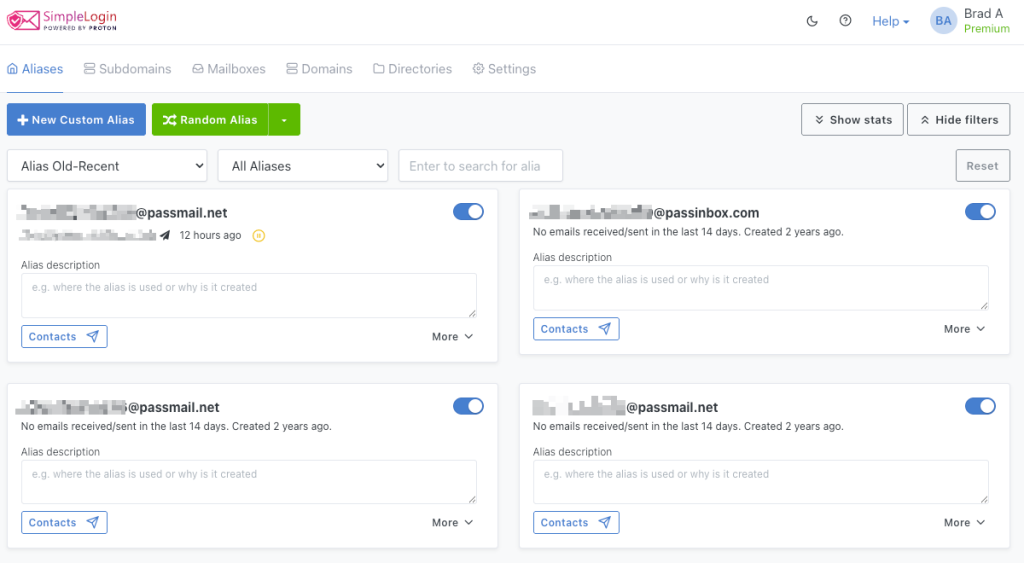
About 400 services. I went through them methodically, prioritising by risk. Banking, government services, anything that touches real money or real identity those got a custom domain alias. I own my domain, so if I ever leave Proton, those addresses come with me. Lower-stakes services newsletters, forums, retail accounts got a random SimpleLogin alias. One alias per service, unique email address everywhere.
The whole operation took most of the day. I don’t say that to scare you off I say it because if you’re doing this seriously, block the time. Don’t try to squeeze it in between other things. Do it right once and you’re done.
What Each Product Actually Does in Our House
Proton Mail: The Anchor
This is the product the entire ecosystem is built around, and it shows. It’s the most mature, the most polished, and the one that requires the least ongoing effort once it’s set up.
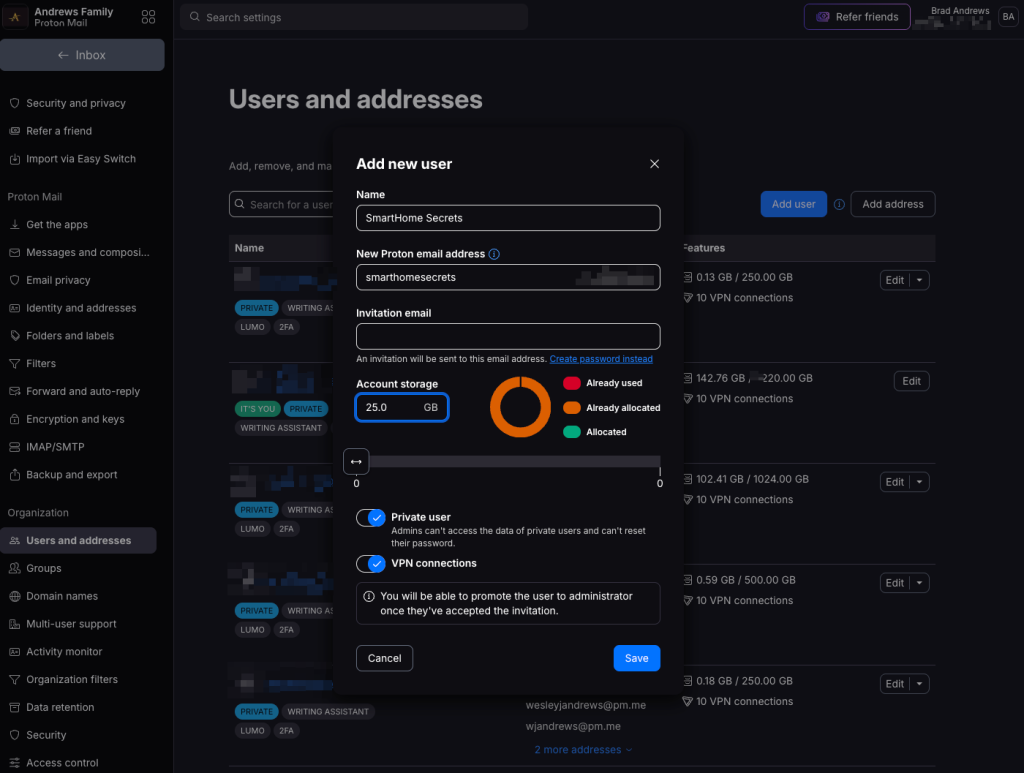
My email address is on my own domain. My wife has her own Proton account on the same domain. My kids have their own accounts with their own email addresses and those addresses have been active since before they could read. I send them things: photos from family trips, notes about things we did together, letters they’ll find when they’re older. The accounts are there waiting for them.
The custom domain setup is the part most people find daunting. It’s not it’s just DNS records: MX, SPF, DKIM, DMARC. I’ve written the full step-by-step in Post 1, but if you’ve ever set up a website, you’ve done harder things than this.

SimpleLogin: The Privacy Layer Nobody Talks About Enough
This one is the hidden gem of the Proton ecosystem and I think it’s genuinely underrated even among people who’ve heard of Proton.
SimpleLogin sits in front of your real email address and generates aliases unique addresses that forward to your inbox. Every service you sign up for gets its own alias. Spam starts arriving on one alias? You kill that alias and the spam dies with it. You never have to change your real email address. You never have to figure out who sold your data you already know, because only one service ever had that address.
I covered the full setup and the group alias feature where a single address like family@yourdomain.com routes to every member simultaneously in Post 2. The daycare example in that post is a real one: daily updates with photos of my kids, routing to my wife and me, sitting in my kids’ inboxes for them to find someday. That feature alone is worth the subscription.
The honest caveat: sending new email from an alias requires a reverse alias workaround inside the SimpleLogin app. It works, but it adds friction that non-technical users will find annoying. Proton is aware of this. I’m patient about it.
Proton Pass: The Easiest Sell
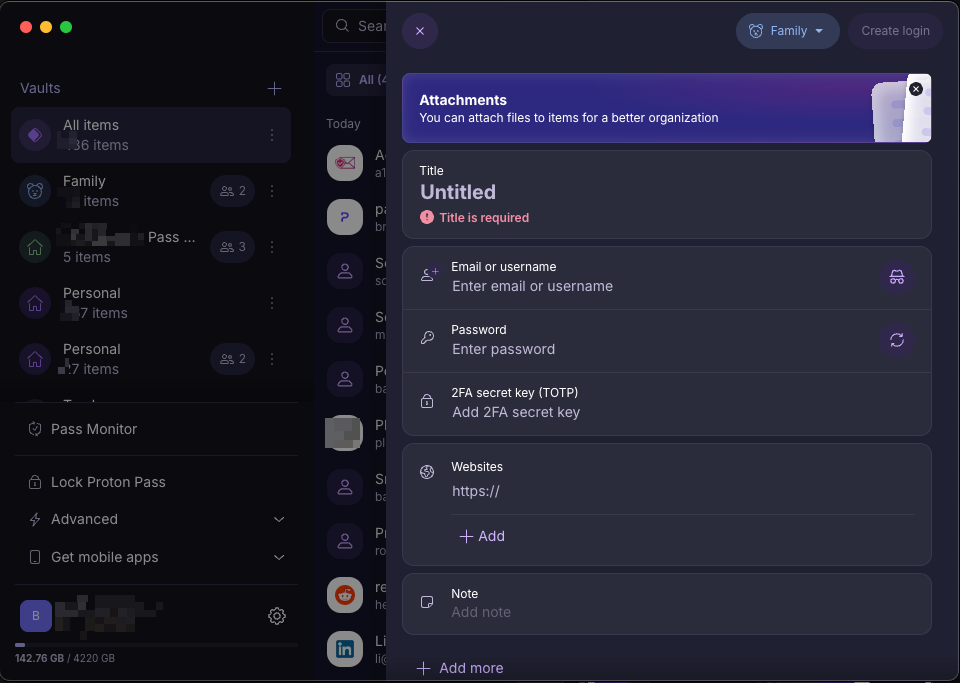
My wife wanted one thing from a password manager: to stop remembering passwords. Proton Pass delivered that. She uses it. That’s the highest praise I can give a security tool the non-technical person in the household uses it without complaining.
For personal and family use, Proton Pass does everything you need. Zero-knowledge encryption, browser extension in Brave and Safari, iOS and Android apps, vault sharing, the SimpleLogin alias generator built right in.
My professional path through password managers looked different PasswordState, then Keeper, then 1Password, mostly driven by corporate authentication integrations and the need for IT-wide credential sharing and auditing. 1Password is still what I use at work. Proton Pass could technically work for a small team, but it lacks the corporate IT controls that matter when you’re managing credentials across an organization things like admin enforcement policies, detailed audit logs, and directory integrations. For business, 1Password is still the right tool. For your personal and family life, Proton Pass is genuinely excellent.
Now I want to talk about something most password manager reviews skip entirely, because it’s the reason I take this more seriously than just convenience.
Think about what happens to your digital life if something happens to you. Every bank account, every investment, every utility, every government service, every insurance policy all of it is now behind an online account. Your spouse or your kids or your siblings will need access to those accounts at the worst possible moment. If your passwords exist only in your head, or scattered across browsers on a locked device, you’re creating an obstacle course for the people you love at a time when the last thing they need is more obstacles.
This isn’t morbid. It’s practical. The digital age has made estate administration genuinely complicated in ways previous generations never had to think about.
I set up a shared family vault with my wife. My parents are on the family plan I manage a shared vault with their credentials so that when they need help with an account, I can sort it quickly. And when the day comes that I’m helping sort out their affairs, I won’t be locked out of anything critical. I’m in the process of doing the same for my in-laws, who are less technical one elderly parent at a time, as I’ve learned.
There’s also the emergency access feature inside Proton Pass, which is worth setting up properly. You designate a trusted contact who can request access to your vault if something happens to you. They wait a set period which you can override if you’re still around and they need their own Proton account for it to work, because of how the encryption keys are structured. The detail matters: Proton Pass uses zero-knowledge encryption, which means even Proton can’t hand someone your vault. The emergency access system is built to solve exactly this problem without compromising that architecture. Full details at the Proton support page.
Set it up. Don’t wait for a reason to.
Proton Drive: The Quiet Workhorse
I’m saving the full deep-dive on Proton Drive for Post 5, because it deserves its own space. But here’s the short version.
Photo storage went through its own evolution. Before the summer of 2024, we were split between iCloud for phone photo syncing and Synology Photos on the NAS for local backup. It worked, but iCloud meant Apple held the primary copy of our memories, and Synology Photos while solid wasn’t something I wanted to keep paying forward as the long-term answer.
When I moved to Proton in 2024, Proton Drive replaced Synology Photos as the cloud backup layer. Then in January 2025, when I migrated to Home Assistant and rebuilt the home infrastructure properly, Immich came in and replaced iCloud entirely as the primary photo library.
Now both my wife and I sync directly from our phones to Immich, which runs in Docker on my Synology NAS. Everything lands there first, automatically. Those photos then feed the Immich Frame containers running on the Home Assistant dashboard tablets throughout the house every screen is a live digital picture frame pulling from the actual family library, updating in real time as we make new memories. No subscription. No Apple. No cloud vendor as the primary copy.
Proton Drive sits behind it as the offsite backup. A NAS in one location isn’t a backup strategy on its own, and the zero-knowledge encryption means Proton can’t see what’s stored there not the files, not the thumbnails, not the metadata. Unlike iCloud or Google Photos, that’s a genuine architectural guarantee, not a privacy policy promise.
Proton Calendar: Functional, But Needs Love
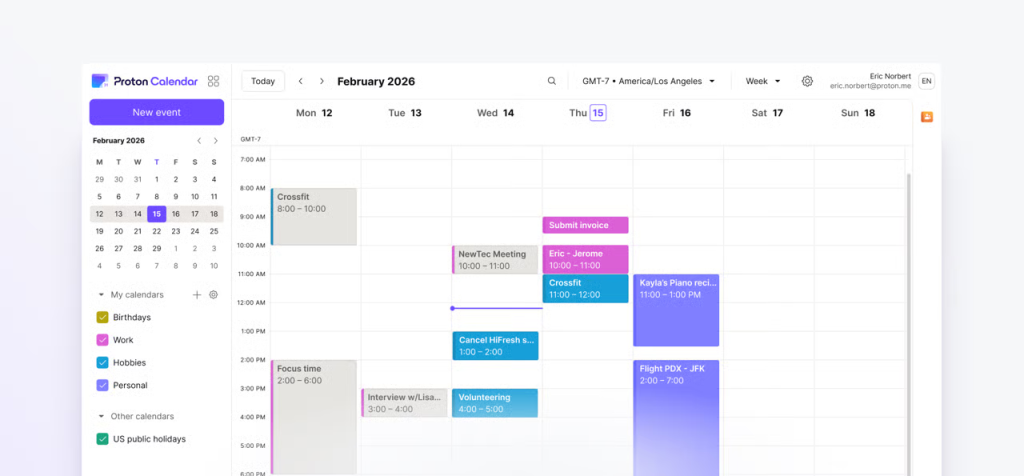
I’m going to be honest here in a way Proton’s own marketing won’t be: the calendar is the weakest product in the stack.
It works. Our family lives in it. Between my wife’s fitness routines and classes, my daughter’s karate, tap dance, yoga, Girl Guides schedule, my son getting started with soccer and baseball (and hopefully hockey soon we are Canadian, after all), my rec league dodgeball and baseball, and everything else that comes with running a household, a shared family calendar isn’t optional. Proton Calendar handles all of it.
But there are real frustrations. The most glaring one: calendar invites always go out from your primary Proton username. Not your custom domain alias. Your username. For a company that has built their entire brand around privacy, exposing your account identifier on every meeting invite is a bizarre oversight. Proton has since added a Proton Meet feature and a booking link so people can schedule time with you but again, it uses your username. The whole point of aliases is to control what you reveal and to whom. Calendar needs to catch up to that philosophy.
My work calendar stays on Microsoft. Proton Calendar is for family life. That split works fine in practice I just shouldn’t have to make it.
Proton VPN: For When You Actually Need It
I’ll be brief here because I’ll be honest: I don’t use Proton VPN heavily. When I’m travelling and on public Wi-Fi, it’s on. It’s fast, it works, it does exactly what it says. For the situations where I genuinely need to encrypt my traffic on an untrusted network, it’s there.
Most of the time when I’m travelling for work, I’m on my company VPN anyway. Proton VPN is the personal layer for personal devices in situations the company VPN doesn’t cover. That’s a narrow use case but a real one.
Lumo: The AI Surprise
This one wasn’t on my radar when I signed up and it’s worth mentioning even though it’s still early.
Proton has added Lumo an AI assistant built into the plan. I use it sparingly. The honest assessment: it hallucinates, and it hallucinates confidently. I’ve caught it fabricating things several times. This is partly by design unlike models trained on crowdsourced public data, Lumo is built with a privacy-first architecture that limits what it can draw on.
For quick lookups, simple questions, things you’d normally just Google it’s fine. For anything that needs to be accurate, verify independently. It’s not replacing Claude in my workflow anytime soon, but it’s interesting to watch Proton try to extend into this space without compromising the privacy principles the rest of the product is built on.
The Honest Accounting
The switch wasn’t free. Here’s what it actually cost.
Time: most of a Saturday for the initial migration, plus occasional hours since for onboarding family members and cleaning up edge cases.
Money: the Proton Family plan covers the whole household mail, passwords, storage, VPN, and aliases, all under one subscription.
Google Keep was harder to lose than I expected. It’s simple, it syncs perfectly, it shares effortlessly. We still use it for tracking our baseball team’s batting order each game. For casual shared lists with friends, it’s genuinely better than anything Proton offers. I’m not pretending otherwise.
The Google Home display was the one my wife felt. We had a Lenovo Smart Display in the kitchen showing family photos, and when it eventually failed, I replaced it with something better but “better” took work. I built a Home Assistant dashboard on a tablet with a voice satellite card and Immich Frame showing our own photos full-screen. The first view is a full-screen photo frame pulling from our local Immich library. Tap to the next view and you get the kids’ chore tracker via the Taskmate HACS integration, lighting controls for the main floor, HVAC controls for the furnace and AC, the fireplace in the great room, and the Dyson fan in the basement. Another view shows door lock status. Another shows the front porch camera greyscale by default, switching to colour automatically when the UniFi doorbell detects a package, with the voice assistant speaker LED rings flashing yellow as confirmation.
It’s better than the Lenovo display was. But it took a weekend to build and required Home Assistant, not just Proton. That’s the honest version: Proton plus Home Assistant together replaced Google for me. Neither one alone would have gotten there.

Ongoing friction lives mostly in Calendar the username exposure on invites is a real gap and in the SimpleLogin reverse-alias workaround for sending email. Both are liveable. Both are Proton’s problem to solve, not mine.
Google’s ecosystem polish is real and I’d be lying if I said I don’t notice its absence. The level of integration between Google products the way Gmail and Calendar and Keep and Drive just work together seamlessly reflects years of investment that Proton hasn’t had. Proton is a smaller company with a different business model.
What I gained in exchange: I own my email addresses. My passwords are encrypted in a vault that no one else can access. My family’s photos live on hardware I physically control. When a company shuts down their cloud service and they will, it happens every year nothing in my critical infrastructure breaks. That tradeoff was deliberate and I don’t regret it.
The Bigger Picture
The thinking that led me to Proton in the summer of 2024 and then to Home Assistant in January 2025 is the same thinking. Own your stack. Control your data. Stop depending on services that can change their terms or disappear overnight. Email came first, then the smart home platform. The order doesn’t matter much what matters is that once you start pulling on that thread, you don’t stop.
This isn’t about being paranoid. It’s about being thoughtful. Your email address is the skeleton key to your entire digital life it’s how every other service resets your password, verifies your identity, and reaches you. Handing that to a company whose revenue depends on understanding you as a consumer is a choice worth examining.
I examined it. I switched. Less than a year in, I don’t miss Google the way I thought I would.
What’s Next
Post 5 will take a proper look at Proton Drive the docs, the sheets, the photo storage, and the honest answer to whether it’s ready to replace Google Drive for everyday use. If you’ve been holding off on the full switch because you live in Google Docs, that post is for you.
Post 1: Proton Mail with a Custom Domain
Post 2: SimpleLogin + Proton Mail
Post 3: Proton Pass Review and Setup
Smart Home Secrets is reader-supported. We may earn a commission if you buy through our links.