📅 Published: March 2026 | ✍️ By Brad Andrews | ⏱️ 8 min read
The Most Dangerous Words in Home Automation
“I’ll set up backups later.”
I know, because I’ve said them. Not in those exact words more like “I know I should do a Z-Wave backup before I start moving switches around, but it’ll be fine.” Spoiler: it wasn’t fine. More on that in a moment.
Here’s the truth about your smart home: it is a system. Not a collection of gadgets a system, built on software, configuration, and hardware that took you real time and real effort to assemble. And like every system, it will eventually fail. A drive dies. A device corrupts. An update goes sideways. A Z-Wave dongle that’s been running on a five-year-old SD card finally decides it’s done.
What happens next depends entirely on whether you have a backup. If you have yet to install Home Assistant, then check out the blog How to Setup Home Assistant from Scratch.
What You Actually Lose When Home Assistant Goes Down
Most people don’t think about this until it happens. So let’s make it concrete.
When your Home Assistant instance fails without a backup, you don’t just lose an app. You lose:
- Every automation you’ve ever built hundreds, potentially, if you’ve been at this a while
- Every dashboard you’ve configured, every card you’ve tuned
- Every integration, every credential, every API key you had to hunt down
- Every device that’s been named, organised, and assigned to a room
- Your entire Z-Wave or Zigbee network mesh the invisible fabric holding your devices together
- The history, the energy data, the routines your family relies on without even thinking about them
That last one is the one that gets people. Your smart home has quietly become infrastructure. The lights that turn on when someone gets home. The garage door that closes if you forget. The lock that checks itself before bed. None of that runs on the cloud it runs on your local system. And when that system is gone, so is all of it.
The SD Card That Changed How I Think About Backups
I’ll be honest with you: I’m an IT professional. I run a managed IT company. I help businesses protect their data for a living. And yet.
Back in my Homeseer days, my Z-Wave controller was a HomeSeer ZNet essentially a Raspberry Pi in a small enclosure, running off an SD card. It started behaving strangely. Commands would drop, devices would go unresponsive. I diagnosed it, found a fix, and got it running again. Crisis averted. I pulled a Z-Wave backup at that point good instinct, finally and moved on.
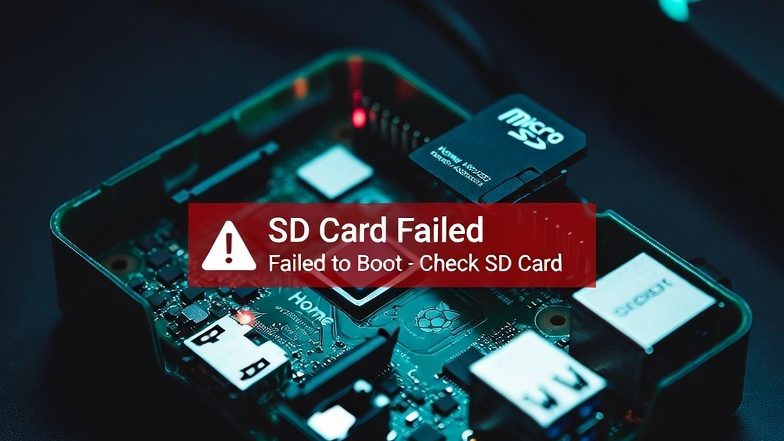
A few months later it failed again. Permanently this time. I connected a monitor and keyboard and confirmed what I already suspected: the SD card had died. It was an older 500-series chip that had been running 24/7 for the better part of five years. That’s not bad luck. That’s physics.
Because I had that Z-Wave backup, I ordered a new ZNet the updated 700-series model restored the network, and was back up and running. I did have to reset and re-join three switches that weren’t captured in the last backup window. Thirty minutes of work, maybe. But I remember thinking very clearly: this could have been every switch in the house. Every lock, sensor, device I had spent years building automations around.
The cobbler’s children had nearly gone barefoot. I knew better. I got lucky.
The lesson wasn’t new I already knew it. But I needed to be reminded in a way that cost me 30 minutes instead of 30 hours.
Why You Can’t Have Too Many Backups
There’s a principle in data protection called the 3-2-1 rule: three copies of your data, on two different media types, with one stored offsite. It’s been the standard in enterprise IT for decades, and it applies to your smart home just as much as it applies to a corporate file server.
“Offsite” is the part most people skip. And it’s the part that made me think about the ultimate stress test for a backup strategy.
If your NAS and your Home Assistant hardware both live in your house, and your house burns down, your local backup burns with it. Your offsite backup cloud storage, encrypted, safely sitting on a server somewhere far away is the only thing that survives.
Now, full transparency: if your house burns down, restoring Home Assistant is probably not the first thing on your mind. You’d be rebuilding from ash. Most of your automations would have nowhere to run.
Unless, of course, you have automations that aren’t tied to your physical home at all geofence zone notifications that fire when you arrive somewhere, sports score alerts for when the Leafs somehow score in the third, weather dashboards you’ve tuned just the way you like them. Those you might actually want back. The hardware is replaceable. The configuration is not.
The point isn’t really about house fires. The point is that offsite backup protects you from the failure modes that also take out your local backup floods, theft, a power surge that fries multiple devices, or just the quiet reality that a NAS and a Home Assistant box sitting on the same shelf are a single point of failure wearing two disguises.
Back up locally and offsite. Ensure you also back up your Z-Wave network separately. You cannot have too many backups. The setup takes an hour. The regret, if you skip it, can take considerably longer.
The Layers of a Smart Home Backup Strategy
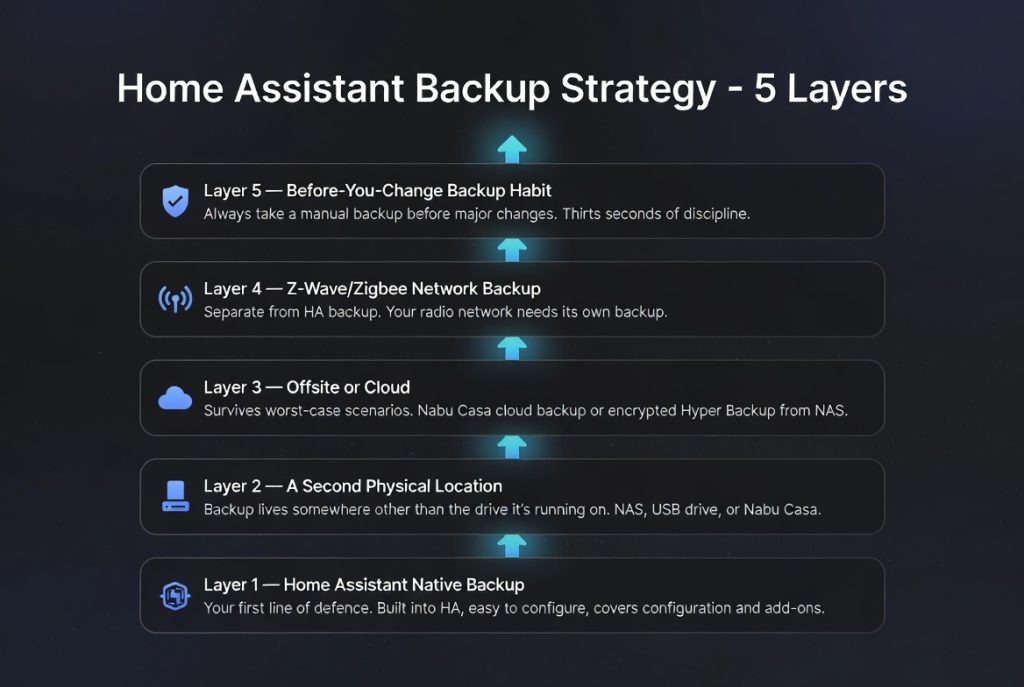
Not everyone needs to build what I’ve built and I’ll cover the full stack in a later article in this series. But here’s the mental model that should guide every decision:
Layer 1 Home Assistant native backup Your first line of defence. Built into HA, easy to configure, covers your full configuration and add-ons. We’ll set this up properly in the next article.
Layer 2 A second physical location Your backup needs to live somewhere other than the drive it’s running on. A NAS on your network, a USB drive, or the Nabu Casa cloud backup (more on that shortly) all work. Two drives in the same machine don’t count.
Layer 3 Offsite or cloud The backup that survives the worst-case scenario. Nabu Casa cloud backup is the simplest path here and it directly funds the Home Assistant project and the Open Home Foundation, which is worth something on its own. If you run a NAS already, Hyper Backup to an encrypted cloud destination is a powerful option.
Layer 4 Z-Wave/Zigbee network backup Separate from your HA backup and critically important. Your radio network is not fully captured in a Home Assistant backup. This one has its own article in the series because it deserves the attention.
Layer 5 Before-you-change backup habit Before making any significant change to your system adding devices, updating firmware, making major automation changes pull a manual backup first. This one is pure discipline and costs you about thirty seconds.
A Word on Nabu Casa
If you don’t have a cloud backup destination today, Nabu Casa is the place to start. It’s a subscription service ($6.50 USD/month or $65/year) that gives you two things: secure remote access to your Home Assistant from anywhere, and automatic encrypted cloud backups.
I use Cloudflare Tunnel with mTLS for my own remote access that’s a more advanced setup I’ll cover separately but I still subscribe to Nabu Casa. The cloud backup alone is worth it, and more importantly, Nabu Casa is the commercial arm of the Open Home Foundation, the nonprofit that funds Home Assistant development. If you use Home Assistant, subscribing to Nabu Casa is one of the most direct ways to make sure it keeps getting better.
What’s Coming in This Series
This is Article 1 of the Be Smart About Your Smart Home: Backups series. Here’s where we’re going:
- Article 2 Native HA Backup: Your First Line of Defence Setting up automatic backups in Home Assistant, configuring NFS or USB destinations, and the exact settings I run
- Article 3 Don’t Forget Your Z-Wave Network The backup most people skip entirely, and why the ZNet story above almost ended much worse
- Article 4 Going Deeper: Proxmox, NAS, and a True Backup Stack The full layered architecture for those who want real belt-and-suspenders protection
- Article 5 NAS as the Foundation Synology, TrueNAS, UGREEN, and Docker: which platform fits which setup
The Bottom Line
Your smart home is not just devices. It’s configuration, automations, history, and years of iteration. None of that lives in the cloud waiting to be restored if something goes wrong. It lives on your hardware and when that hardware fails (not if), what happens next is entirely up to you.
Set up a backup. Set up two. Put one offsite. Back up your Z-Wave network before you touch it.
Don’t let a five-year-old SD card be the reason you start over from scratch.
Join the Network. Get the Blueprint. Unlock the Truth.
Smart Home Secrets is reader-supported. We may earn a commission if you buy through our links.